How to Reset Service Stabilitrak Light GMC Sierra: Quick Guide
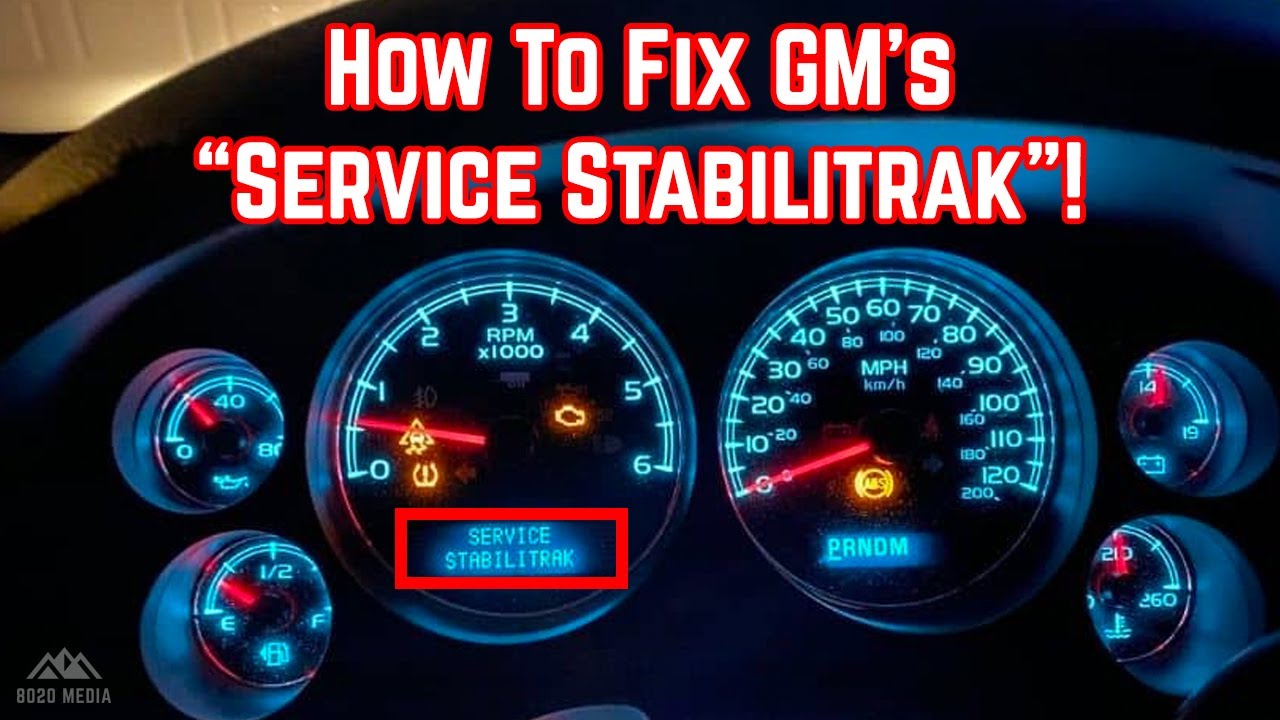
Your GMC Sierra’s Service StabiliTrak light just popped on, and you’re probably wondering what to do next. This light can be a bit of a mystery, causing a mix of concern and curiosity.
You might be asking yourself, “Is this a major issue? ” or “Can I fix it on my own? ” Don’t worry, you’re not alone in this. Many GMC Sierra owners face this issue, and the good news is, resetting the Service StabiliTrak light can often be a straightforward task.
Imagine driving with peace of mind, knowing your vehicle’s systems are running smoothly again. By understanding how to reset this light, you empower yourself with the knowledge to maintain your truck’s performance and safety. Stick with us as we guide you through the simple steps to take control of your GMC Sierra’s StabiliTrak system, ensuring a smoother ride ahead.

Credit: www.youtube.com
Causes Of Service Stabilitrak Light
Understanding the Service Stabilitrak Light on your GMC Sierra is important. It can illuminate for various reasons. Knowing these causes helps in fixing the issue effectively.
The light indicates a problem with the vehicle’s stability control system. Identifying the exact cause is crucial for a safe driving experience.
Common Triggers
Several factors can trigger the Service Stabilitrak Light. One common cause is a malfunctioning sensor. Sensors play a key role in the stability control system. If they fail, the system might not work correctly.
Another trigger is wheel alignment issues. Misaligned wheels can confuse the stability control system. This may cause the light to turn on unexpectedly.
Electronic Stability Control System Issues
Problems within the electronic stability control system itself can also cause the light. Faulty wiring is a common problem that affects the system’s performance.
Software glitches might also lead to the light activating. Updating the system’s software can sometimes resolve these glitches. Keeping the system updated ensures smoother operations.
Tools Required For Reset
Resetting the Service Stabilitrak light on a GMC Sierra requires some tools. Having the right tools makes the process smooth and efficient. This section outlines the essential equipment and optional diagnostic tools you might need.
Essential Equipment
Basic tools are necessary for resetting the Stabilitrak light. A reliable OBD-II scanner helps identify error codes. These codes provide information about the issue. Another essential tool is a flashlight. This helps you see under the dashboard clearly. A small wrench set may be needed for removing panels. Ensure your tools are in good condition.
Optional Tools For Diagnostics
Optional tools aid in deeper diagnostics. A multimeter checks electrical connections. It ensures they are functioning properly. Diagnostic software provides detailed information about vehicle systems. This software can be installed on a laptop. A digital tablet can also run diagnostic apps. These tools help diagnose complex issues.
Preparation Steps
Resetting the Service Stabilitrak light on your GMC Sierra involves specific preparation steps. These steps ensure a smooth and safe process. Before diving into the technical aspects, prepare your vehicle and workspace. This helps prevent potential issues and ensures your safety.
Ensuring Safety
Wear protective gear like gloves and goggles. This protects you from accidental injuries. Ensure the vehicle is on a flat, stable surface. A flat surface prevents unexpected vehicle movement. Turn off the engine and remove the key. This reduces the risk of electrical shocks or accidents.
Vehicle Positioning
Position your GMC Sierra in a well-lit area. Proper lighting helps you see clearly during the reset process. Ensure ample space around the vehicle. This space allows easy access to all sides of the vehicle. Engage the parking brake firmly. This prevents any unintended vehicle movement.
Manual Reset Procedure
The Service Stabilitrak light on your GMC Sierra may need resetting. This light can indicate issues with the vehicle’s stability system. Resetting it manually is straightforward. Below are methods you can use to reset the light without visiting a mechanic.
Ignition Cycle Method
Start by ensuring your Sierra is parked safely. Turn the ignition off and wait for a few seconds. Then, turn it on without starting the engine. This will allow the system to reset. Repeat this cycle three times. Afterward, start the engine to see if the light remains off.
Reset Via Control Buttons
Locate the control buttons on your dashboard. Press the button labeled “Stability Control” or “Traction Control.” Hold it down for about 10 seconds. Release the button and check if the light has turned off. This method helps reset the stabilitrak system manually.
Diagnostic Tool Reset
Resetting the Service Stabilitrak light on your GMC Sierra requires precision. A diagnostic tool is essential for this task. These tools help identify the root of the problem. They ensure accurate results and prevent future issues.
Using An Obd-ii Scanner
An OBD-II scanner is a reliable tool. It connects to your vehicle’s port. This port is usually under the dashboard. Once connected, turn on the scanner. Follow the instructions on the screen. The scanner communicates with your vehicle’s computer. It retrieves data related to the Stabilitrak system.
Interpreting Error Codes
Once the scanner retrieves information, it displays error codes. These codes pinpoint the issue. Each code corresponds to a specific problem. Refer to the scanner’s manual for code meanings. Understanding these codes helps in fixing the problem. Resetting the light becomes straightforward. The codes guide you in the right direction.
Credit: www.youtube.com
When To Seek Professional Help
Resetting the Service Stabilitrak light on a GMC Sierra can be tricky. If basic troubleshooting doesn’t work, consult a professional. Persistent issues may indicate deeper problems that require expert diagnosis and repair.
When the Service Stabilitrak light on your GMC Sierra stays on, it can be alarming. Sometimes, fixing it by yourself may not be enough. It’s essential to know when to call in a professional. This ensures your vehicle remains safe and reliable.Persistent Warning Light
If the Stabilitrak light doesn’t turn off after resetting, seek help. A persistent light signals unresolved issues. Ignoring it might worsen the problem. A professional can diagnose the root cause. They have the right tools and experience.Complex Electrical Issues
Electrical problems can be tricky. They often involve various systems in your vehicle. If you notice flickering lights or strange sounds, contact a professional. These symptoms might indicate deeper electrical issues. Experts can identify and fix these complex problems. They ensure your GMC Sierra runs smoothly and safely.Preventive Maintenance Tips
Resetting the Service Stabilitrak light on a GMC Sierra involves turning off the vehicle and waiting. Restart the engine to see if the light disappears. If it persists, consult your vehicle’s manual or a professional mechanic for further assistance. Regular maintenance can prevent such issues.
Preventive maintenance is key to ensuring your GMC Sierra’s Stabilitrak system functions smoothly. Regular check-ups can save you from unexpected issues down the road. By adopting a proactive approach, you can increase your vehicle’s reliability and longevity.Regular System Checks
Regular system checks are crucial for maintaining your vehicle’s Stabilitrak system. Make it a habit to inspect your vehicle at least once a month. This can help you catch minor issues before they become major headaches. Do you remember the last time you checked your tire pressure? Low tire pressure can trigger the Stabilitrak light. Always ensure your tires are inflated to the recommended level. Check the sensors and wiring connected to the Stabilitrak system. Loose wires or faulty sensors can lead to malfunctions. A quick inspection can prevent unnecessary trips to the mechanic.Software Updates
Keeping your vehicle’s software up to date is just as important as checking its hardware. Manufacturers often release updates to improve system performance or address known issues. Have you ever ignored a software update notification? It’s tempting, but timely updates can enhance your Stabilitrak system’s efficiency. Connect with your dealership or check online for the latest updates. Sometimes, a simple software update can reset your Stabilitrak light. It’s a quick, often overlooked fix that can save you time and money. Always ensure your vehicle’s software is current to avoid unnecessary complications. These preventive maintenance tips can help keep your GMC Sierra running smoothly. When was the last time you checked your system? Taking action today can prevent issues tomorrow.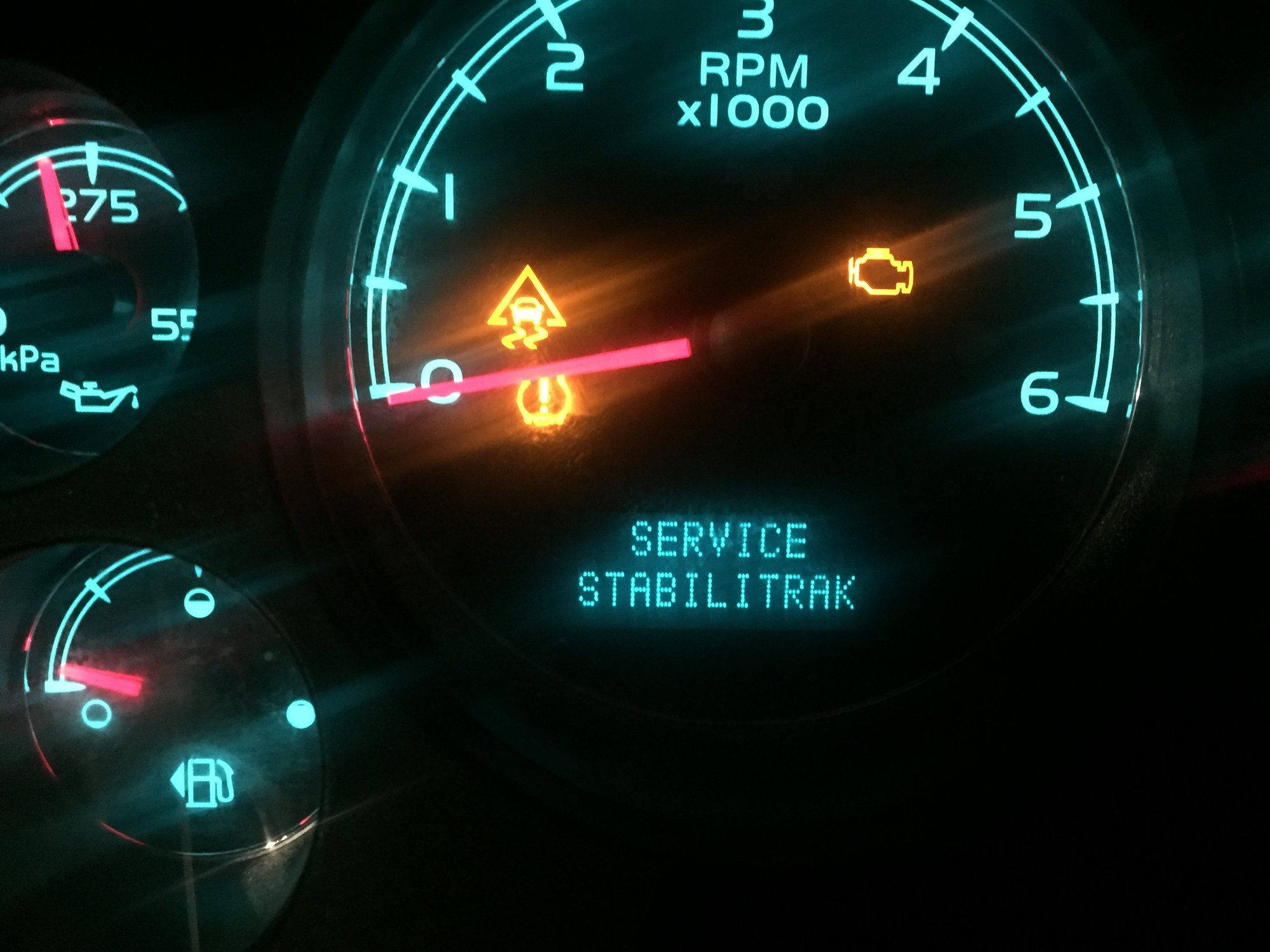
Credit: chevytrucks.org
Frequently Asked Questions
How Do You Reset The Traction Control Light On A Gmc Sierra?
Turn off the GMC Sierra and wait a few minutes. Restart the engine. If the light remains, consult your vehicle’s manual or visit a mechanic. Regular maintenance can prevent traction control issues.
How To Get Stabilitrak Light To Go Off?
Turn off the engine and restart to reset StabiliTrak. Check tire pressure and battery voltage. Consult a mechanic if issues persist.
How To Reset Service Stabilitrak Light Gmc Sierra 2014?
Turn off the engine, wait for 15 seconds, then restart. If the light remains, consult a professional.
What Does It Mean When Service Stabilitrak Comes On A Gmc Sierra?
The “Service StabiliTrak” warning on a GMC Sierra indicates a problem with the vehicle’s stability control system. This system helps maintain traction and control. Promptly check the system as it may affect driving safety. A diagnostic check is recommended to identify and fix the issue.
Conclusion
Resetting the Service Stabilitrak light on your GMC Sierra is straightforward. Follow the steps carefully to ensure success. Regular maintenance can prevent this issue. Always keep your vehicle in top condition. This saves time and money in the long run.
If problems persist, consult a professional. They can offer expert advice and solutions. Remember, safety is crucial on the road. A well-maintained vehicle ensures a smooth and safe drive. Stay informed about your vehicle’s needs. Drive with confidence and peace of mind.

Ethan Montgomery is the administrator of carweldhub.com and an expert in the automotive industry. With hands-on experience in welding and a deep understanding of automotive parts and accessories, Ethan brings a wealth of practical knowledge to his work. His passion for the automotive field extends to blog writing and editing, where he shares valuable insights and tips with enthusiasts and professionals alike. Whether you’re looking for detailed technical advice or the latest trends in automotive technology, Ethan’s expertise makes him a trusted resource in the automotive community.