How to Change Mercedes Car Key Battery: Quick Guide
Changing the battery in your Mercedes car key might seem like a daunting task, but it’s easier than you think. Imagine the frustration when your key fob stops working just when you need it the most.
No need to worry! With just a few simple steps, you can have your key fob working like new again. This guide will walk you through the process, ensuring you can do it quickly and efficiently. Don’t let a dead battery leave you stranded; keep reading to discover how you can easily change your Mercedes car key battery and get back on the road with confidence.
Tools Required
Changing the battery in your Mercedes car key is a simple task. You only need a few tools to get started. It’s essential to have the right tools on hand. This ensures a smooth process and avoids damaging your key. Let’s explore what you need to change your Mercedes car key battery.
1. Small Flathead Screwdriver
A small flathead screwdriver is crucial. It helps open the key fob cover. Choose a size that fits the small grooves. This prevents scratches and damage.
2. New Battery
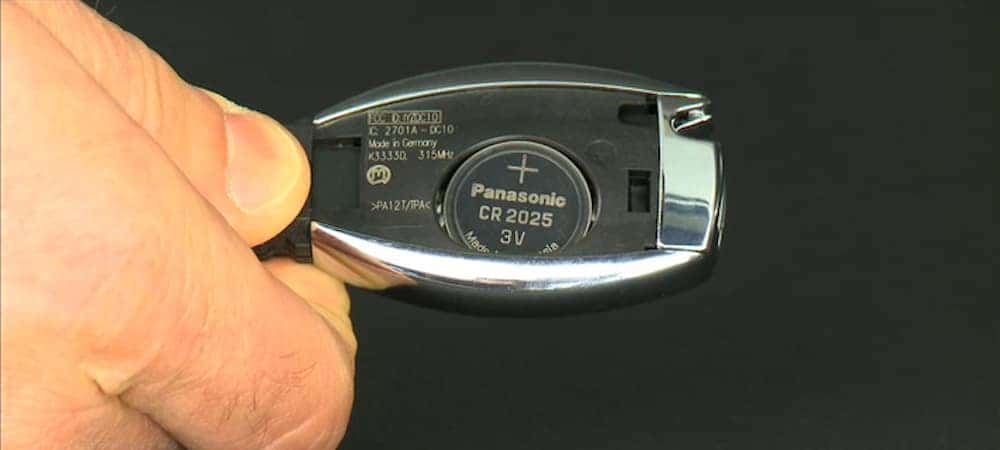
Ensure you have the correct new battery. Most Mercedes keys use CR2025 or CR2032 batteries. Check your manual for the right size. This guarantees the key works correctly after the change.
3. Clean Cloth
A clean cloth helps keep the workspace tidy. It prevents dirt from entering the key fob. Use it to clean your hands and the key itself.
4. Small Tray Or Container
Use a small tray or container for tiny parts. It keeps them from getting lost. Place screws and the old battery here during the process.
Identifying The Key Type
Changing the battery of your Mercedes car key might sound daunting, but it’s simpler once you identify the key type you have. Knowing the specific key type is crucial, as it determines the battery replacement process. Imagine this: you’re running late, and your car key suddenly stops working. Understanding your key type can save you a trip to the dealership and get you back on the road quicker. So, how do you identify your Mercedes key type?
Smart Key
Smart keys are sleek and modern, often with a smooth, minimalist design. They allow you to open and start your car without physically inserting the key. Look for buttons on the key fob, usually for locking, unlocking, and trunk opening. If your key has these features, you’re holding a smart key. The battery replacement for this type is straightforward, typically involving a small battery like a CR2032. Have you checked the battery compartment yet?
Chrome Key
The chrome key is distinct with its shiny metal casing, giving it a stylish appearance. It’s heavier than a standard key and often features a chrome finish on the edges. If your key has a metallic look and feels weighty, it’s likely a chrome key. This type typically uses the same battery size as the smart key, but accessing the battery compartment might require a bit more effort. Have you ever noticed the tiny release button on the side?
Standard Key
Standard keys are more traditional, resembling a typical car key with less flair. They might have fewer buttons or none at all, focusing on basic functionality. If your Mercedes key is straightforward, with a simple design, you’re dealing with a standard key. This type usually requires a CR2025 battery, and replacing it is often a matter of popping open the back cover. Have you tried checking the manufacturer’s instructions for specifics?
Understanding your Mercedes key type is the first step towards a smooth battery change. Next time you find yourself in a jam, remember: the key to solving your problem lies in knowing your key!
Locating The Battery Compartment
Changing the battery in your Mercedes car key might seem daunting, but locating the battery compartment is the first step in the right direction. Whether you’re dealing with a smart key, chrome key, or standard key, knowing where to find the battery compartment is essential. Let’s dive into the specifics of each type, ensuring you can tackle this task with confidence and ease.
Smart Key Battery Compartment
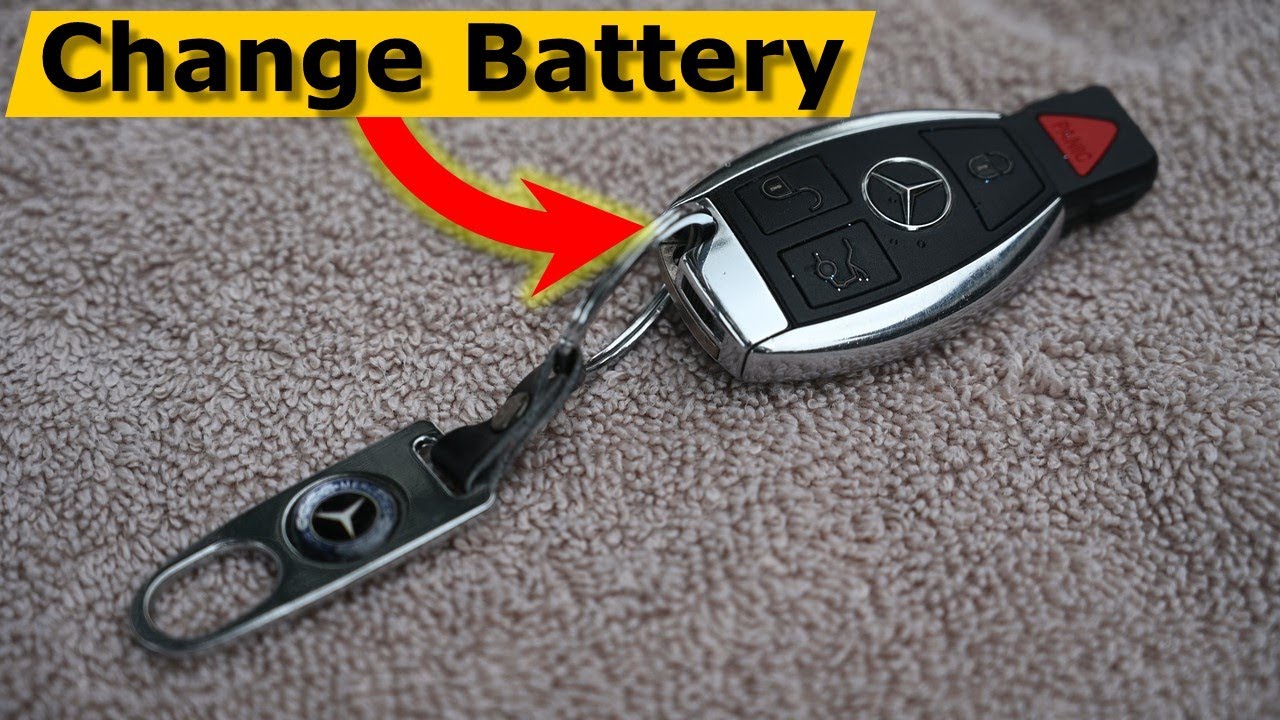
The smart key is sleek and modern, often featuring advanced technology. To find the battery compartment, flip your key over to reveal a small release button. This button is your gateway to accessing the battery. Press it gently, and the back cover will pop open, unveiling the battery nestled inside. It’s almost like solving a little puzzle, isn’t it?
Chrome Key Battery Compartment
Chrome keys have a distinctive style with their shiny finish. To locate the battery compartment, look for a seam along the edge. You’ll notice a small latch or button that you can press or slide. Once activated, the cover should lift off smoothly. It’s a bit like finding a hidden treasure, waiting to be discovered.
Standard Key Battery Compartment
The standard key is straightforward and functional. The battery compartment is usually located on the back side. You may need a small tool, like a screwdriver or a coin, to gently pry open the cover. As you reveal the battery, you might wonder why you didn’t tackle this task sooner. Are you ready to give it a try?
Remember, changing your car key battery doesn’t have to be a chore. With each key type, locating the battery compartment is a simple step towards ensuring your key functions efficiently. You’ve got this!
Credit: www.youtube.com
Removing The Old Battery
Changing the battery in your Mercedes key is simple. First, gather your tools. You will need a small screwdriver. This helps open the key fob. A new battery is also needed.
The old battery must be removed carefully. This step is crucial. Follow the steps below to avoid damage. Ensure you have a clean workspace. This prevents losing small parts.
Step 1: Open The Key Fob
Locate the seam on your key fob. Use your screwdriver here. Gently pry open the case. Do not force it. This may break the plastic. The case should separate easily. Once opened, set the cover aside.
Step 2: Identify The Battery Type
Before removing, check the battery type. It is often marked on the battery. Common types include CR2025 or CR2032. Write it down for reference. This ensures you get the correct replacement.
Step 3: Remove The Old Battery
Use the screwdriver to lift the battery. It should pop out easily. Avoid touching any circuits. This prevents damage. Dispose of the old battery properly. Batteries can be harmful to the environment.
Step 4: Clean The Battery Compartment
Once removed, inspect the compartment. Look for dirt or debris. Use a soft cloth to clean it. Ensure it is dry. This helps the new battery work well. A clean compartment means better performance.
Installing The New Battery
Changing the battery in your Mercedes car key is a simple task. You might feel a bit nervous about it. But with clear steps, you can do it easily. Once you have removed the old battery, it’s time to install the new one. This part is crucial for the car key to work properly. Follow these steps to ensure a smooth installation process.
Align The Battery Correctly
First, ensure the battery is facing the right direction. The positive side should match the markings inside the key. This step is vital to avoid malfunction.
Slide The Battery Into Place
Carefully slide the new battery into its compartment. It should fit snugly. Avoid using force as it might damage the key.
Secure The Battery Cover
Once the battery is in place, secure the cover. Ensure it clicks back into position. This keeps the battery safe and prevents it from falling out.
Test The Key Functionality
After installing the battery, test the key. Press the buttons to check if it works. It should light up or unlock the car. If it doesn’t, check the battery again.
Credit: www.fjmercedes.com
Testing The Key Functionality
After changing the battery in your Mercedes key, testing is crucial. Ensure the key works properly. A few simple steps can help. These will verify the key’s functionality.
Check The Remote Lock And Unlock
Stand near your Mercedes. Press the lock button on the key. Observe if the car locks. Then, press the unlock button. Check if the car responds. This confirms the key’s remote functions.
Test The Panic Button
Locate the panic button on your key. Press it briefly. The car’s alarm should sound. To stop the alarm, press the button again. This ensures the panic feature is operational.
Verify The Keyless Start System
Sit inside your Mercedes. Ensure the key is in the car. Press the start button. The engine should start smoothly. This confirms the keyless start system functions.
Inspect The Key Fob Light
Press any button on the key. A small light should blink. This indicates the battery is working. If not, check the battery installation.
Reprogram The Key If Necessary
Sometimes, the key may need reprogramming. Consult your car’s manual for instructions. Follow the steps to reprogram the key. This ensures full functionality.
Troubleshooting Common Issues
Changing the battery in a Mercedes car key can seem simple. Yet, sometimes issues arise. It’s important to know how to troubleshoot these problems. Here, we explore common issues you might face.
Key Not Working After Battery Replacement
Your key may not work after replacing the battery. First, check the battery’s orientation. Ensure it’s placed correctly. Positive and negative sides matter. If the issue persists, try a new battery. Sometimes, the first one might be faulty. Also, examine the battery contacts. They should be clean and free from corrosion. If everything seems fine, consider reprogramming the key.
Key Fob Case Not Closing Properly
Another issue is the key fob case not closing. Make sure all parts are aligned. The battery should sit flat in its compartment. Check for any obstructions inside the case. Sometimes, old batteries leave residue. Clean the case before closing. Double-check that all clips snap into place. If the case still won’t close, inspect for any damage. Replacement might be necessary if there are cracks.

Credit: www.mercedesbenzofhampton.com
Maintenance Tips For Car Key
Maintaining your Mercedes car key is essential for its longevity. It saves you from unexpected inconveniences. Regular checks ensure the key functions smoothly. Simple maintenance tasks can prevent costly repairs.
Proper Storage
Store your car key in a cool, dry place. Avoid direct sunlight which can damage the key’s electronics. Keep it away from moisture to prevent internal corrosion.
Regular Cleaning
Clean the key’s surface regularly. Use a soft cloth to wipe away dirt and grime. Avoid abrasive cleaners that can scratch the key.
Battery Check
Check the battery level often. Replace it when you notice weak signals. A fresh battery ensures reliable performance.
Gentle Handling
Handle your car key gently. Avoid dropping it to prevent internal damage. Do not press buttons too hard.
Professional Inspection
Get your key inspected by professionals yearly. They can spot hidden issues early. Regular checks keep the key in top condition.
Frequently Asked Questions
How To Replace Mercedes Car Key Battery?
To replace a Mercedes car key battery, slide the release catch and remove the cover. Replace the old battery with a new CR2025 or CR2032 battery, ensuring the positive side faces up. Reattach the cover securely. Always handle the battery carefully to avoid damage.
What Battery Does A Mercedes Car Key Take?
Mercedes car keys typically use CR2025 or CR2032 batteries. Check your key’s manual for exact specifications. Replace batteries every 2-3 years to ensure functionality. Using the correct battery type maintains optimal key performance. Always buy quality batteries from reputable brands for reliability and longevity.
Can I Change My Mercedes Battery By Myself?
Yes, you can change your Mercedes battery by yourself. Ensure you follow safety precautions and consult your owner’s manual. Proper tools and guidance are essential for a successful replacement. If unsure, seek professional assistance to avoid potential damage. Regular battery checks and maintenance improve vehicle performance.
Where To Change Mercedes Key Batteries?
Change Mercedes key batteries at home or visit a Mercedes dealership. Use a small screwdriver to open the key fob and replace the battery. Ensure you have the correct battery type, usually CR2025 or CR2032. Check the owner’s manual for specific instructions and battery type.
Conclusion
Changing your Mercedes car key battery is simple and quick. Follow the steps mentioned to ensure smooth operation. Keep a spare battery handy for future needs. This saves time and prevents inconvenience. Always use the right battery type for your key.
It helps maintain its functionality and durability. Regular checks can avoid unexpected issues. Stay prepared and informed. Your Mercedes key will work efficiently with a fresh battery. Now you can enjoy a worry-free drive. Always keep your car essentials updated.
It ensures peace of mind on the road.

Ethan Montgomery is the administrator of carweldhub.com and an expert in the automotive industry. With hands-on experience in welding and a deep understanding of automotive parts and accessories, Ethan brings a wealth of practical knowledge to his work. His passion for the automotive field extends to blog writing and editing, where he shares valuable insights and tips with enthusiasts and professionals alike. Whether you’re looking for detailed technical advice or the latest trends in automotive technology, Ethan’s expertise makes him a trusted resource in the automotive community.