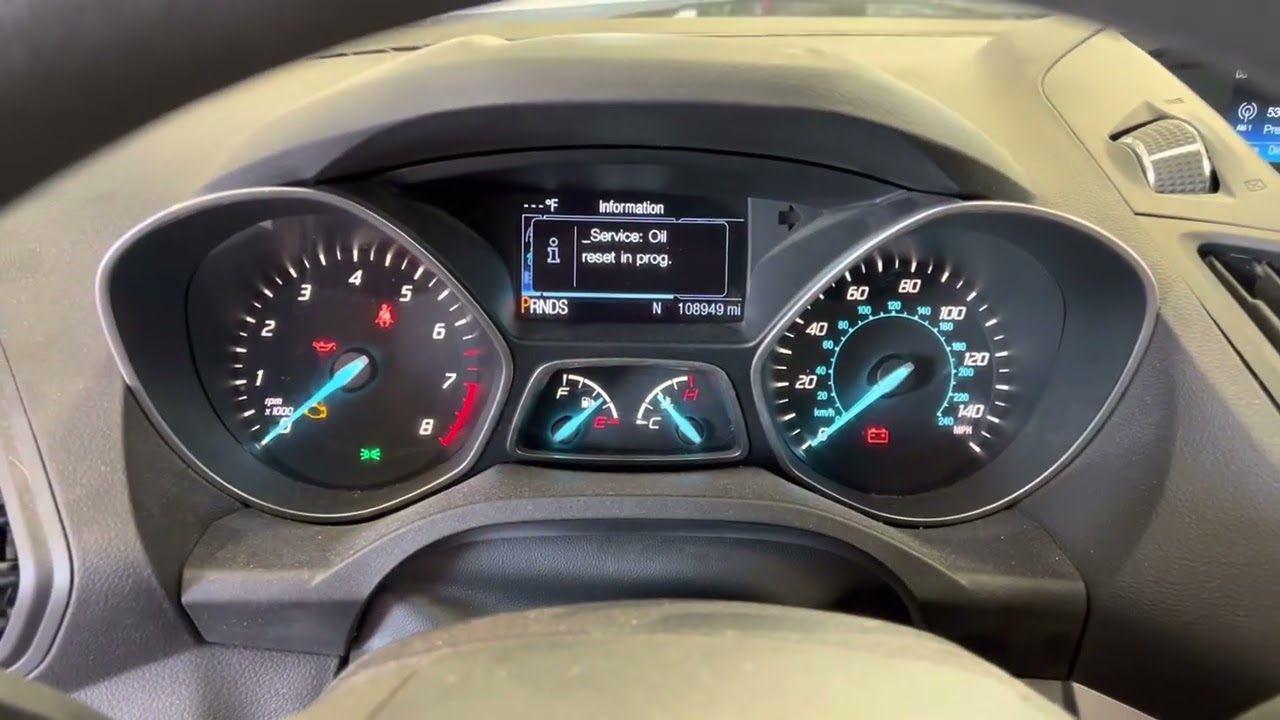
How to Reset Oil Light 2016 Ford Escape: Quick Guide
Your 2016 Ford Escape is a trusty companion, always ready to take you on the road and help you tackle your day. But every now and then, a little maintenance is needed to keep it running smoothly.
If you’ve recently changed your oil or had it serviced, you might notice the oil light is still on, reminding you to take care of it. This can be a bit frustrating, right? But don’t worry—you’re not alone, and resetting the oil light is simpler than you might think.
Imagine the relief and satisfaction you’ll feel once that pesky light is off, letting you know your vehicle is in top shape. In this guide, we’ll walk you through the straightforward steps to reset the oil light on your 2016 Ford Escape. So, buckle up and get ready to clear that dashboard alert, ensuring your car is ready to take you wherever you need to go. Let’s dive in and make your ride as smooth and worry-free as possible.
Identifying The Oil Light Indicator
Understanding the oil light indicator is crucial for car maintenance. This light alerts you to oil-related issues in your 2016 Ford Escape. Ignoring it can lead to serious engine problems. Recognizing the light helps you take timely action.
What Does The Oil Light Look Like?
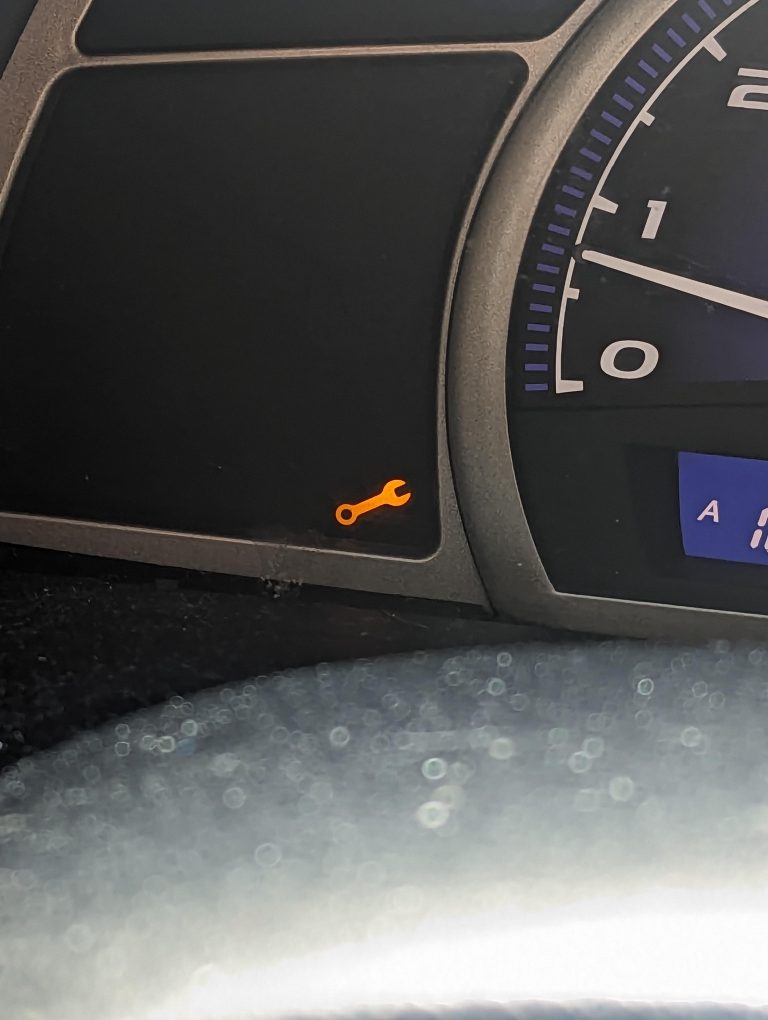
The oil light icon resembles a small oil can. It often appears in red or yellow. This icon is usually located on your dashboard. It signals low oil pressure or levels. Pay attention to it to prevent engine damage.
Why Is The Oil Light Important?
The oil light is vital for engine health. It warns of low oil pressure or levels. An active oil light means your engine may lack lubrication. This can cause overheating or wear. Regular checks can prevent costly repairs.
What Triggers The Oil Light?
Several factors can trigger the oil light. Low oil levels often activate it. A faulty oil pump might also cause the light to turn on. Oil leaks are another common reason. All these require immediate attention.
What To Do If The Oil Light Comes On?
Stop driving if the oil light appears. Check the oil level using the dipstick. Add oil if necessary and see if the light goes off. If not, consult a mechanic. Ignoring it could harm your engine.

Credit: www.youtube.com
Preparing The Vehicle
Resetting the oil light on a 2016 Ford Escape is simple. First, turn the ignition on without starting the engine. Then, press and hold the gas and brake pedals for around 25 seconds until the oil light resets.
Resetting the oil light on your 2016 Ford Escape is a simple task that can save you a trip to the mechanic. However, it’s crucial to prepare your vehicle properly to ensure a smooth process. This preparation involves taking a few vital steps that set the stage for a successful reset.Ensure Safety Measures
Before you dive into resetting the oil light, prioritize your safety. Make sure your Ford Escape is parked on a flat surface and the ignition is off. Engage the parking brake to prevent any unwanted movement. It’s always a good idea to work in a well-ventilated area to avoid inhaling any fumes. Safety glasses and gloves might seem unnecessary for this task, but they protect you from unexpected hazards. Taking these precautions could prevent accidents and make the process hassle-free.Gather Necessary Tools
Surprisingly, you won’t need a toolbox full of gadgets for this task. All you need is your car key and access to the vehicle’s dashboard controls. It’s that simple. However, having your vehicle’s manual handy can be beneficial. The manual provides specific instructions tailored to your model, ensuring you follow the correct steps. If you’ve misplaced it, most manufacturers offer digital versions online. Having these resources at your fingertips can make the process much smoother. Are you ready to take control and reset your oil light? With these preparations, you’re well on your way to mastering this essential car maintenance task.Starting The Reset Process
Resetting the oil light on a 2016 Ford Escape involves turning the ignition key to the “on” position. Press the gas pedal three times within ten seconds. The light should reset automatically, indicating completion.
Starting the reset process for your 2016 Ford Escape oil light is simple. This task is essential after an oil change. It ensures your vehicle’s systems are up-to-date. Resetting the oil light helps maintain your car’s health. It also prevents unnecessary alerts. Follow these easy steps to reset the oil light.Turn Ignition To On Position
Begin by inserting the key into the ignition. Turn the key to the “On” position. Do not start the engine. The dashboard lights should illuminate. This step prepares the system for the reset process. Ensure all unnecessary devices are off.Navigate Through The Menu
Locate the control buttons on your steering wheel. Use these buttons to access the menu. Find the “Settings” option on the dashboard screen. Scroll down to the “Vehicle” menu. Select “Oil Life Reset” from the list. Follow the instructions on the screen. Confirm the reset when prompted. The oil light should now be reset.Executing The Reset
Resetting the oil light on your 2016 Ford Escape is essential. This process ensures your vehicle’s maintenance schedule remains accurate. Follow these straightforward steps to execute the reset. It’s easy and quick. You’ll be back on the road in no time. Let’s dive into the details.
Select Settings
Start by turning on your ignition without starting the engine. Press the ‘Menu’ button on your steering wheel. The menu will appear on your dashboard screen. Navigate using the arrow buttons. Look for the ‘Settings’ option. Select it by pressing the ‘OK’ button. This step initiates the reset process.
Choose Vehicle Maintenance
Once you’re in the ‘Settings’ menu, scroll down. Find the ‘Vehicle Maintenance’ section. Use the arrow buttons to highlight it. Press ‘OK’ to enter this section. Here, you’ll find various maintenance options. Focus on the oil reset option. It’s crucial for accurate maintenance tracking.
Confirm The Oil Reset
In the ‘Vehicle Maintenance’ menu, locate the oil reset option. Highlight it using the arrow buttons. Press ‘OK’ to select it. The dashboard will prompt you to confirm the reset. Use the ‘OK’ button again to confirm. Your oil light will reset successfully. This indicates your oil change is recorded. You can now exit the menu.
Verifying The Reset
Resetting the oil light on your 2016 Ford Escape is a straightforward process, but verifying the reset is just as crucial. Imagine going through the effort to reset the light, only to realize it didn’t work. This step ensures that you can drive with confidence, knowing the vehicle’s oil monitoring system is correctly calibrated. Let’s break down how you can verify the reset effectively.
Check Oil Light Status
After resetting the oil light, take a moment to check its status. Start by turning on the ignition without starting the engine. Look at the dashboard and observe the oil light.
If it’s off, congratulations, you’ve successfully reset it! But if it’s still illuminated, there might be a glitch in the process. Double-check the steps you followed during the reset.
Have you ever faced a similar issue with another dashboard light? Share your experience in the comments, and let others learn from it.
Restart The Vehicle
The next logical step is to restart the vehicle. This often helps in confirming if the reset was successful. Turn off the ignition and then start the engine normally.
Pay attention to the dashboard as it comes to life. Is the oil light still off? If yes, you’re all set to hit the road. If not, consider repeating the reset process.
Ever wondered why some resets require restarting the car? It’s all about ensuring the vehicle’s system recalibrates effectively.
By following these steps, you ensure your 2016 Ford Escape’s oil light is reset correctly. It’s not just about turning off a light; it’s about maintaining your vehicle’s health. What steps do you take to keep your car running smoothly?
Troubleshooting Common Issues
Resetting the oil light on a 2016 Ford Escape seems straightforward. Yet, sometimes, things don’t go as planned. Common issues can arise, causing frustration. Understanding these problems helps in resolving them efficiently. Let’s explore some frequent challenges you might face.
Persistent Oil Light
After resetting, the oil light might stay on. This is common. Ensure you follow the correct reset procedure. Double-check all steps. Sometimes, a simple mistake keeps the light on. If the light persists, it may signal another issue. The oil level could be low. Or, the oil sensor might be faulty. Consider checking the oil and sensor if needed.
System Error Messages
System error messages can occur. These messages often confuse car owners. Typically, they suggest a deeper problem. First, consult the vehicle manual. It provides guidance on error codes. If the manual doesn’t help, professional assistance might be necessary. A technician can diagnose the issue better. Regular maintenance can prevent these errors. Keep your Ford Escape in top condition.
Regular Maintenance Tips
Resetting the oil light on a 2016 Ford Escape is simple. Turn the ignition to the “on” position without starting the engine. Press the gas pedal three times within 10 seconds. The light should reset.
Regular maintenance is essential to keep your 2016 Ford Escape running smoothly, and knowing how to reset the oil light is just one aspect. Regular maintenance not only ensures optimal performance but also prolongs the lifespan of your vehicle. By following a few straightforward tips, you can maintain your Escape in top condition without breaking a sweat.Schedule Routine Checks
Consistency is key when it comes to vehicle maintenance. Setting a schedule for routine checks helps you stay on top of necessary updates and repairs. Think of it as a health check for your car—miss one, and you might miss an early sign of trouble. Schedule these checks in your calendar, just like you would for any other important appointment. Whether it’s monthly or quarterly, make it a habit. This approach ensures you catch potential issues before they become costly problems.Use Recommended Oil
The type of oil you use matters more than you might think. Using the recommended oil ensures your engine runs efficiently and effectively. Ford has specific recommendations for the 2016 Escape, and sticking to them can prevent unnecessary wear and tear. I once tried a cheaper alternative, thinking it wouldn’t make much difference. My engine’s performance dropped noticeably within weeks. Learning from that mistake, I now stick to Ford’s recommendations, and I’ve had no issues since. Have you ever wondered why manufacturers specify certain products? It’s because they’ve tested what works best for your vehicle. Following their advice can save you time and money in the long run. Remember, maintaining your Ford Escape isn’t just about ticking boxes. It’s about ensuring your vehicle serves you well for years to come. So, why not take these tips and make them part of your routine today?
Credit: www.westlieford.com

Credit: www.akinsford.com
Frequently Asked Questions
How Do I Reset An Oil Change On A Ford Escape?
Turn the ignition on without starting the engine. Press the brake and gas pedals simultaneously for 25 seconds. Release both pedals. The oil change reset is complete. Check your dashboard to confirm the reset. Always consult your owner’s manual for specific instructions.
How Do You Reset The System On A 2016 Ford Escape?
To reset the system on a 2016 Ford Escape, disconnect the battery for 15 minutes. Reconnect it, then start the engine. This action resets the system, clearing any temporary issues. Always ensure all electrical systems function properly after resetting.
How Do You Reset A Ford After An Oil Change?
Turn the ignition key to “on” without starting the engine. Press the gas pedal three times. Turn the ignition off, then start the engine to verify the reset. This method varies by model, so consult your owner’s manual for specific instructions.
How To Reset 2016 Ford Focus Oil Change Light?
Turn the ignition to “On” without starting the engine. Press the gas and brake pedals simultaneously for about 20 seconds until the “Service: Oil Reset Complete” message appears. Release the pedals. The oil change light should now be reset on your 2016 Ford Focus.
Conclusion
Resetting the oil light on a 2016 Ford Escape is simple. Follow these steps to keep your vehicle running smoothly. Regularly check and maintain the oil levels for optimal performance. Resetting the light ensures accurate alerts. This helps avoid unnecessary stress or confusion.
Maintaining your vehicle’s health is crucial. It extends the life of your car and saves money. Keep these tips in mind for future oil changes. Enjoy the peace of mind knowing your car is well-cared-for. Drive safely and confidently with a properly reset oil light.

Ethan Montgomery is the administrator of carweldhub.com and an expert in the automotive industry. With hands-on experience in welding and a deep understanding of automotive parts and accessories, Ethan brings a wealth of practical knowledge to his work. His passion for the automotive field extends to blog writing and editing, where he shares valuable insights and tips with enthusiasts and professionals alike. Whether you’re looking for detailed technical advice or the latest trends in automotive technology, Ethan’s expertise makes him a trusted resource in the automotive community.