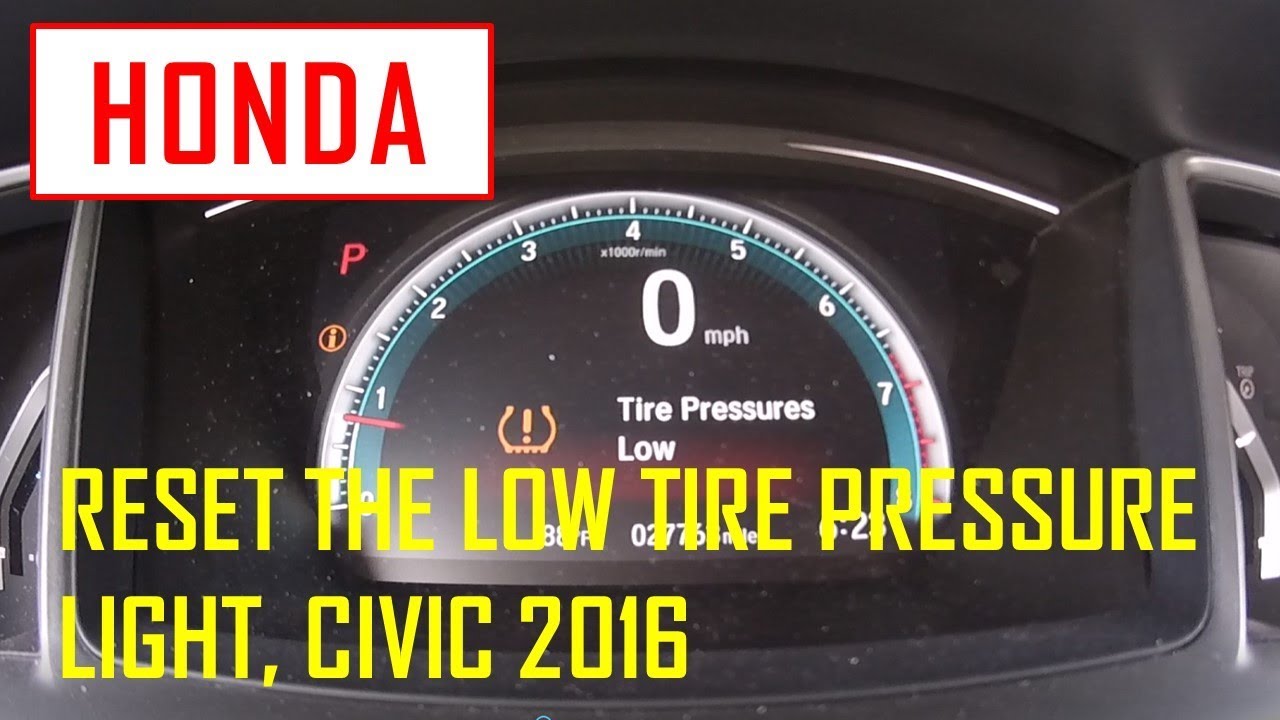
How to Reset Low Tire Pressure on Honda Civic?
You’re cruising along in your Honda Civic, enjoying the drive, when suddenly a low tire pressure warning light pops up on your dashboard. It can be a bit unsettling, right?
But don’t worry, resetting the low tire pressure on your Civic is easier than you think. In this guide, you’ll discover straightforward steps to tackle this issue and keep your ride smooth. Imagine the peace of mind you’ll feel knowing your tires are in perfect condition, ensuring safety for you and your passengers.
Stick around, because by the end of this article, you’ll be equipped with the knowledge to handle tire pressure like a pro, ready to roll with confidence.

Credit: www.youtube.com
Understanding Tire Pressure Monitoring System (tpms)
The Tire Pressure Monitoring System (TPMS) in your Honda Civic is crucial for safety. It alerts you when tire pressure is low, preventing potential hazards. Properly inflated tires improve fuel efficiency, extend tire life, and enhance vehicle stability. Understanding how TPMS works helps you maintain your Civic’s performance.
The system uses sensors to monitor each tire’s pressure. If a tire’s pressure drops below the recommended level, the TPMS warning light illuminates. This alert prompts you to check your tire pressure and adjust it as needed. Regular maintenance ensures the system functions correctly, keeping you safe on the road.
Types Of Tpms Sensors
There are two main types of TPMS sensors: direct and indirect. Direct TPMS sensors measure tire pressure through pressure sensors inside the tires. Indirect TPMS sensors use wheel speed data to estimate tire pressure. Each type has its advantages and maintenance requirements.
Common Tpms Warning Signs
The TPMS warning light appears on your dashboard when there is an issue. A blinking light may indicate a system malfunction. A steady light suggests low tire pressure. Knowing these signs helps you address problems promptly, ensuring safety.
How To Maintain Tpms
Regularly check your tire pressure to keep the TPMS in good condition. Inspect sensors for wear and replace them if necessary. Follow your Honda Civic’s maintenance schedule for optimal TPMS performance. Proper care extends the life of your TPMS and improves your driving experience.
Checking Tire Pressure Levels
Ensuring your Honda Civic’s tires are properly inflated is crucial. Proper tire pressure enhances safety and fuel efficiency. Checking tire pressure levels regularly helps avoid unexpected issues.
Tools Needed
A tire pressure gauge is essential. Digital gauges are accurate and easy to read. A portable air compressor or access to one helps. Have a tire inflator handy if needed.
Steps To Check Tire Pressure
Start with cold tires. Tires heat up during driving, affecting readings. Remove the valve cap from the tire. Place the pressure gauge on the valve stem. Press down firmly for an accurate reading.
Read the gauge display. Compare the reading with the recommended tire pressure. Find this information on the driver’s door jam or the manual. If the pressure is low, use an air compressor to inflate the tire.
Recheck the pressure after inflation. Ensure it matches the recommended level. Replace the valve cap securely. Repeat the process for each tire.
Adjusting Tire Pressure
Adjusting tire pressure is essential for the safety and efficiency of your Honda Civic. Proper tire pressure enhances fuel economy, extends tire life, and improves overall driving performance. But what happens when that pesky low tire pressure warning light comes on? You might feel a sense of urgency or mild panic, especially if you’re new to car maintenance. Don’t worry; adjusting tire pressure is straightforward and can be done quickly with the right information. Let’s dive into how you can reset that low tire pressure on your Honda Civic.
Recommended Tire Pressure
Understanding the recommended tire pressure for your Honda Civic is crucial. Typically, this information is found in the car’s manual or on a sticker inside the driver’s door frame. For most Honda Civics, the pressure is around 32-35 PSI for standard tires. Ensuring your tires are inflated to the correct PSI helps maintain optimal performance.
Have you ever noticed your car handles differently when the tires are improperly inflated? It can be as subtle as a slight pull to one side or as noticeable as a rougher ride. Keeping your tires at the recommended pressure ensures smooth driving and peace of mind.
Filling Air In Tires
Adding air to your tires can be done at any service station with an air pump. Begin by removing the valve cap from the tire. Attach the air hose to the valve, and you’ll hear a hissing sound as the air fills the tire.
Watch the gauge closely as the tire inflates. If the air station has an automatic shut-off, it’s easier to ensure you don’t overfill. If manual, check intermittently with a gauge to avoid surpassing the recommended PSI.
Have you ever wondered why overinflating tires can be harmful? Too much air can lead to uneven tire wear and make your car harder to handle. It’s like trying to navigate a rocky path with a stiff shoe—uncomfortable and potentially risky. So, aim for precision when filling your tires.
Resetting the low tire pressure warning light on your dashboard might require a short drive after adjusting the pressure. If the light persists, double-check all tires, including the spare. When was the last time you checked your spare tire’s pressure? It’s easy to overlook but crucial for emergencies.
By understanding and maintaining the right tire pressure, you not only ensure safety but also save money in the long run. Next time that light comes on, you’ll know exactly what to do—and you’ll handle it like a pro!
Credit: www.geraldhondacountryside.com
Resetting The Tpms On Honda Civic
The Tire Pressure Monitoring System (TPMS) in your Honda Civic is crucial for safety. It alerts you when tire pressure is low. Sometimes, after fixing the issue, the light stays on. Resetting the TPMS can solve this. Let’s explore how to reset the TPMS on your Honda Civic.
Using The Vehicle’s Display Screen
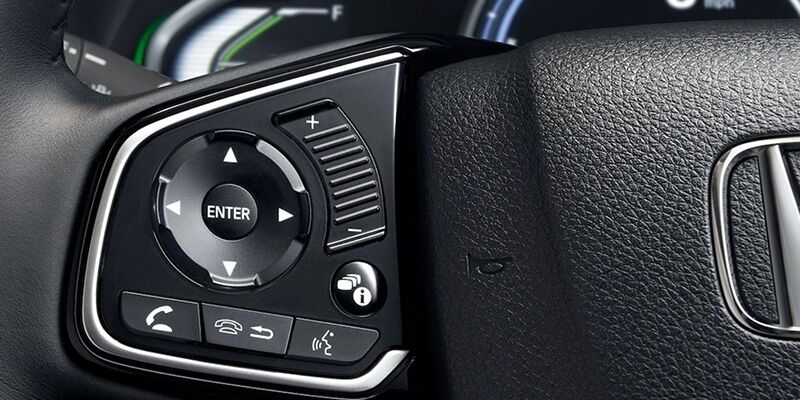
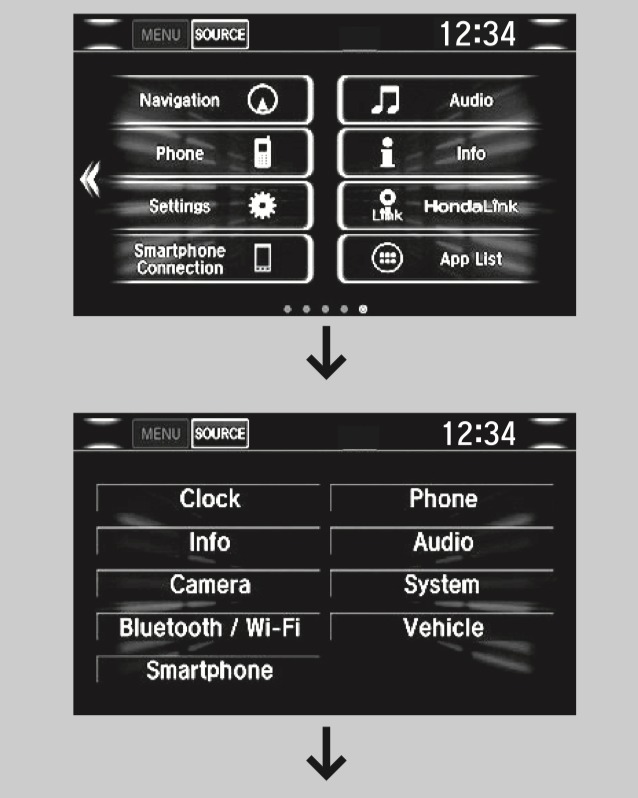
Modern Honda Civics have a user-friendly display screen. It makes resetting the TPMS straightforward. First, turn on the ignition without starting the engine. Locate the menu button on the steering wheel. Press it to access the vehicle settings. Scroll to the TPMS calibration option. Select it and follow the instructions. The system will reset within minutes. This process is simple and quick.
Manual Reset Instructions
Older models might require a manual reset. Start by inflating all tires to the recommended pressure. Drive the car for about 30 minutes. This helps the system recalibrate. If the light remains, a manual reset is needed. Turn off the car and disconnect the battery. Wait for ten minutes before reconnecting. This action resets the TPMS system. Ensure all tires are properly inflated before proceeding. This manual method can be effective.
Troubleshooting Common Tpms Issues
The Tire Pressure Monitoring System (TPMS) in your Honda Civic alerts you to low tire pressure. Sometimes, the system may show errors. Understanding these issues helps in resolving them quickly. Common TPMS problems range from sensor malfunctions to system calibration errors. Let’s dive into them.
Sensor Problems
Faulty sensors cause incorrect readings. Dirt or debris can block sensors. Ensure they are clean and free from obstruction. Batteries in sensors may die, leading to errors. Regularly check sensor batteries for optimal performance. Some sensors might be damaged physically. Inspect them for any signs of damage.
When To Seek Professional Help
Some TPMS issues need expert attention. Persistent warning lights may indicate deeper problems. If sensors are damaged, consult a professional. Error codes can be complex to decode. A mechanic can provide precise solutions. Seek help if resetting the system doesn’t work.
Maintaining Proper Tire Pressure
Maintaining proper tire pressure is essential for a smooth ride. It ensures safety and improves fuel efficiency. Low tire pressure can affect handling and tire lifespan. Keeping your Honda Civic’s tire pressure in check is crucial. It helps in preventing potential tire issues and enhances overall vehicle performance.
Regular Checks
Check your tire pressure at least once a month. Use a reliable tire gauge for accuracy. Examine your tires when they are cold. This gives the most accurate reading. The recommended pressure is usually found in the owner’s manual. It is also on a sticker inside the driver’s door. Regular checks help identify slow leaks or punctures early.
Seasonal Tire Pressure Adjustments
Tire pressure changes with temperature shifts. Cold weather can decrease tire pressure. In contrast, hot weather can increase it. Adjust your tire pressure accordingly with each season. This prevents potential tire damage and ensures optimal performance. Always recheck after significant temperature changes. Doing so keeps your Honda Civic running smoothly throughout the year.
Credit: www.geraldhondacountryside.com
Frequently Asked Questions
How To Clear Low Tire Pressure Light On Honda Civic?
Check tire pressures and inflate to recommended levels. Drive the car above 28 mph for a few minutes. If the light remains, consult your Honda Civic’s manual for the reset procedure, usually involving the menu or a button near the steering wheel.
Where Is My Tpms Reset Button Located?
The TPMS reset button is usually located under the steering wheel. Check your vehicle’s manual for the exact position. Some cars may have it in the glove box or near the center console. Always consult your manual for accurate details.
How To Reset The Low Tire Pressure On A Honda?
Turn on your Honda. Locate the TPMS button near the steering wheel. Press and hold until the light blinks twice. Drive at 30 mph for 10 minutes to reset. For accurate results, check tire pressure manually. Consult the owner’s manual for specific model instructions.
How To Reset Tire Pressure On Honda Civic 2013?
To reset tire pressure on a 2013 Honda Civic, turn the ignition on. Press the “Menu” button, select “Customize Settings,” then “TPMS Calibration. ” Choose “Initialize” and confirm. Drive the car above 30 mph for about 20 minutes to complete the reset.
Conclusion
Resetting the tire pressure on a Honda Civic is simple. Just follow these easy steps. First, ensure tires are properly inflated. Then, locate the TPMS button. Press and hold until the light blinks. Drive around to check if the light goes off.
If it stays on, recheck tire pressure. Correct any discrepancies. Repeat the process if needed. Regular tire checks ensure safe driving. It’s important for car maintenance. Keep your Civic running smoothly. Always be proactive with tire care. Safe travels!

Automotive Specialist & Expert Writer
Tyler Kingston is a passionate automotive writer with a wealth of knowledge in all things cars. With years of experience in the automotive industry, Tyler specializes in everything from vehicle maintenance to the latest car technologies and innovations. He is known for his ability to break down complex automotive concepts into easily digestible, engaging content for both novice and experienced car enthusiasts. Whether it’s detailing car repair techniques, reviewing new car models, or diving into the world of auto accessories, Tyler’s articles provide valuable insights to readers. His hands-on experience, combined with a genuine love for cars, allows him to deliver expert advice, tips, and news that keeps readers coming back for more.